

Automation Challenges Distributed teams Face

Kick off workflows from emails, chats, documents, forms, events, or webhooks
AI steps summarize activity, extract key details, and classify next action
Route by skills, language, or workload, and sync case status across systems
Hundreds of connectors spanning communication, CRMs, support platforms, and internal tools
Credentials stay encrypted.
Sensitive details never appear in logs due to data masking.
Run in our secure cloud or self-host for complete control.
Activepieces Automation Use Cases for Distributed Teams
Distributed teams use Activepieces to automate workflows involving multiple systems and team members.
- Coordinating project status updates between regional teams
- Routing support tickets to appropriate team members
- Managing document approval and review processes
- Syncing task assignments with team calendars
600+ connectors without writing code
SOC 2 Type II cloud
Trusted by 100,000+ users globally
Disconnected apps slow teams down and create errors.
Activepieces fixes that by giving you 400+ integrations in one platform.


How Activepieces Supports Automation for Distributed Teams

Manual Approval Workflows
Users configure specific pause points where workflows wait for manual input or review. This function lets distinct regional groups validate data or authorize actions within an automated sequence, bridging gaps between automated tasks and human decision-making.

Conditional Branching Logic
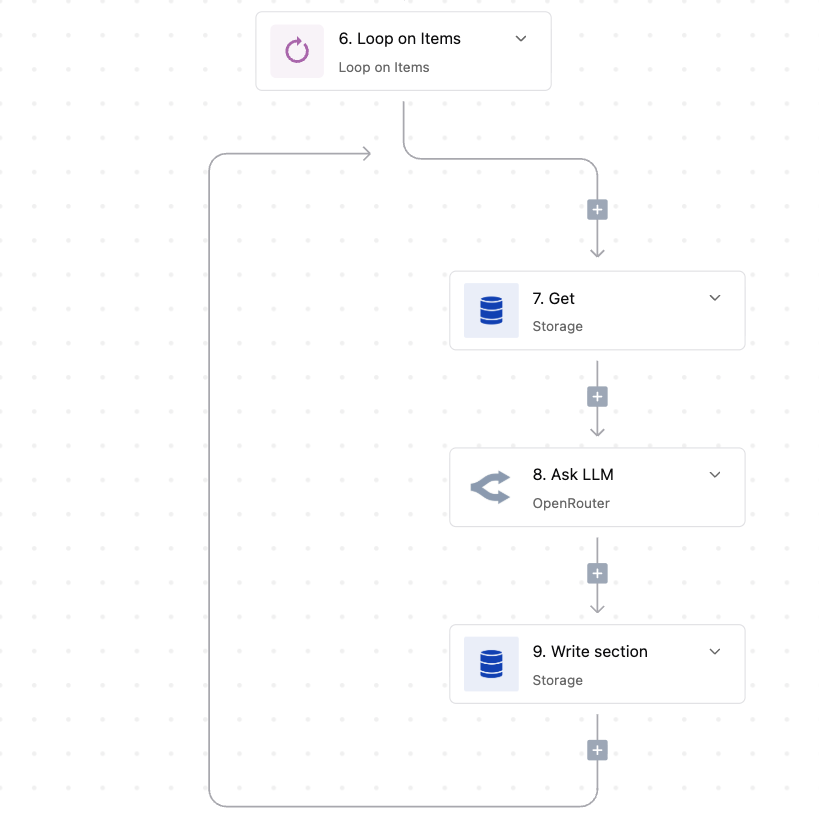
Builders construct logic branches that direct data to specific destinations based on defined criteria. This structure routes tasks to appropriate subsystems or personnel groups depending on variables like time zones, project types, or origin sources.

Structured Data Tables
Built-in tables store and retrieve state information throughout workflow execution. This feature maintains context between steps, allowing users to track process outcomes and reference shared data centrally without relying on external spreadsheets or fragmented documents.
FAQs About Automation for Distributed Teams
Can distributed teams host the platform on their own infrastructure?

Yes, distributed teams can self-host Activepieces on their own infrastructure, making sure data and workflows stay under their control.
Can teams use AI to automate complex decision-making processes?
Yes, distributed teams can use AI for complex decisions within workflows, but make sure critical steps include human review.
Does Activepieces support both no-code and developer workflows?
Yes, Activepieces supports no-code building and developer extensions, so distributed teams can standardize workflows while handling custom logic.
What types of events can trigger an automation?
Automations can start from app events, scheduled times, webhooks, or manual runs, helping distributed teams react consistently to changes.
Read our blog for automation insights.






More Resources


